
A brand owner from Los Angeles sent a tech pack to a prospective supplier via a standard email attachment. She had been speaking with the supplier for two weeks. The communication seemed professional. Three months later, she found an exact copy of her signature wrap dress for sale on an online marketplace, priced at half her retail, under a different brand name. The design files had been forwarded by the supplier's sales representative to a separate trading company. She had no recourse. Her design, her months of development work, was stolen because a single PDF was attached to a single email and sent into the void. She told me, "I thought I was being efficient. I was being naive."
The best practices for secure digital file transfer of tech packs to suppliers are built on three principles: access control, traceability, and expiration. Every tech pack file should be shared via a secure, cloud-based platform, not as an email attachment. The platform must allow the brand owner to grant view-only access, apply dynamic watermarks that identify the recipient, and set automatic expiration dates on file access. The tech pack should be structured so that only the specific information needed for the specific stage of work is visible. A pattern maker needs the full spec. A cutting room supervisor does not. The principle of least privilege, giving each person the minimum information required to do their specific job, is the foundation of digital design security.
The digital transfer of a tech pack is the moment of greatest vulnerability for a brand's intellectual property. The file contains everything a counterfeiter or an unscrupulous competitor needs to produce an exact copy: the graded measurements, the construction details, the fabric specifications, the trim codes, the artwork files. The file is a blueprint for the brand's entire product. Protecting that blueprint during transfer is not an IT issue. It is a business survival issue. At Shanghai Fumao, we accept and use secure file transfer protocols because we understand that protecting our clients' designs is part of our responsibility as a manufacturing partner. Let me explain the specific practices you should implement immediately.
Why Is Email Attachment the Riskiest Way to Send a Tech Pack?
Email is the default communication tool for most business interactions. It is fast, universal, and familiar. These are the very qualities that make it the most dangerous method for transferring sensitive design files. An email attachment is not a controlled, traceable document. It is a copy of your file, placed in the inbox of the recipient, where it can sit indefinitely, be forwarded to anyone, be downloaded to any device, and be accessed without your knowledge or permission.
Email attachment is the riskiest transfer method because it creates an uncontrolled, permanent copy of your design file on the recipient's systems. Once the email is sent, the sender loses all control over the file. It can be forwarded to unauthorized parties, downloaded to unsecured personal devices, and stored indefinitely without the sender's knowledge. The sender has no way to revoke access, no way to know who has viewed the file, and no way to trace a leak back to its source. A secure file transfer platform, by contrast, provides view-only access with dynamic watermarks, automatic expiration, and a complete access log. The file is shared, not copied.
The risk is not just from malicious actors. It is also from simple human error. A factory employee intends to forward the tech pack to the pattern maker but accidentally types the wrong email address. The file goes to a stranger. A production manager downloads the tech pack to their personal laptop to work from home, and the laptop is lost or stolen. The file is now in unknown hands. These are not hypothetical scenarios. They are common, daily occurrences in the global supply chain.

A secure file sharing platform, such as Google Drive with advanced sharing settings, Dropbox Business, Microsoft OneDrive for Business, or specialized platforms like Egnyte or ShareFile, allows the file owner to grant "view-only" access to specific individuals. The recipient can look at the file on their screen. They cannot download a local copy. They cannot print the file, or the print function is restricted to low-resolution, watermarked output. They cannot copy and paste the file to another location.
View-only access fundamentally changes the security model. In the email attachment model, the sender is sending a copy. In the view-only model, the sender is sharing a window. The file remains on the sender's controlled platform. The recipient is given a time-limited, restricted view of the file. The underlying data is not transferred.
The view-only setting is not foolproof. A determined, technically sophisticated recipient could take a screenshot of each page of the tech pack and reassemble it. However, a dynamic watermark, as discussed below, discourages this behavior by making the screenshot personally identifiable. The combination of view-only access and dynamic watermarking raises the barrier to theft from trivial, click forward, to moderately difficult and personally risky, photograph screen, crop images, erase watermarks. Most casual information thieves are deterred by this barrier.
We request that our brand clients share tech packs with us via a view-only link on their chosen secure platform. We do not need to download the file. Our pattern makers and merchandisers can view the complete tech pack on their screens. The file remains under the brand owner's control.
What Is "Link Expiry" and How Does It Protect Stale Design Data?
Link expiry is a setting on secure file sharing platforms that automatically revokes access to a shared file after a specified date. The brand owner sets an expiry date when creating the share link. After that date, the link simply stops working. The recipient who clicks the link sees a message that access has expired.
Link expiry protects against the accumulation of stale design files in supplier systems. A factory may work with a brand for one season and then not again for two years. In the email attachment model, the factory still has the brand's old tech packs in their email archives or on their server. Those files are a latent security risk. A new employee with access to the old files could exploit them.
With link expiry, the brand owner sets the access to expire at the end of the production season, or at the end of the specific project. The factory's access to the design files is automatically and cleanly terminated. There is no reliance on the factory to delete the files manually. The platform enforces the deletion of access.
Link expiry also protects the brand owner's own organization. A brand owner might share a tech pack with a freelance designer or a consultant for a short-term project. The link expiry ensures the consultant's access is automatically revoked when the project ends. The brand owner does not need to remember to manually revoke access.
We recommend that brand clients set link expiry dates that align with the project timeline. For a pre-production sample review, a 30-day expiry. For a full production run, an expiry date one month after the expected shipment date. The expiry can always be extended if the project runs long. The discipline is to set a default expiry and consciously extend it, rather than granting indefinite access by default.
How Should You Structure a Tech Pack to Minimize IP Risk Across Different Factory Departments?
A traditional tech pack is a single, comprehensive document. It contains every piece of information about the garment, from the front cover sketch to the final QC measurement chart. This single document is shared with the factory, where it may be circulated to multiple departments. The cutter sees the full tech pack. The sewing supervisor sees the full tech pack. The QC inspector sees the full tech pack. Each person has access to the complete blueprint of the design, regardless of whether they need that complete information to do their specific job.
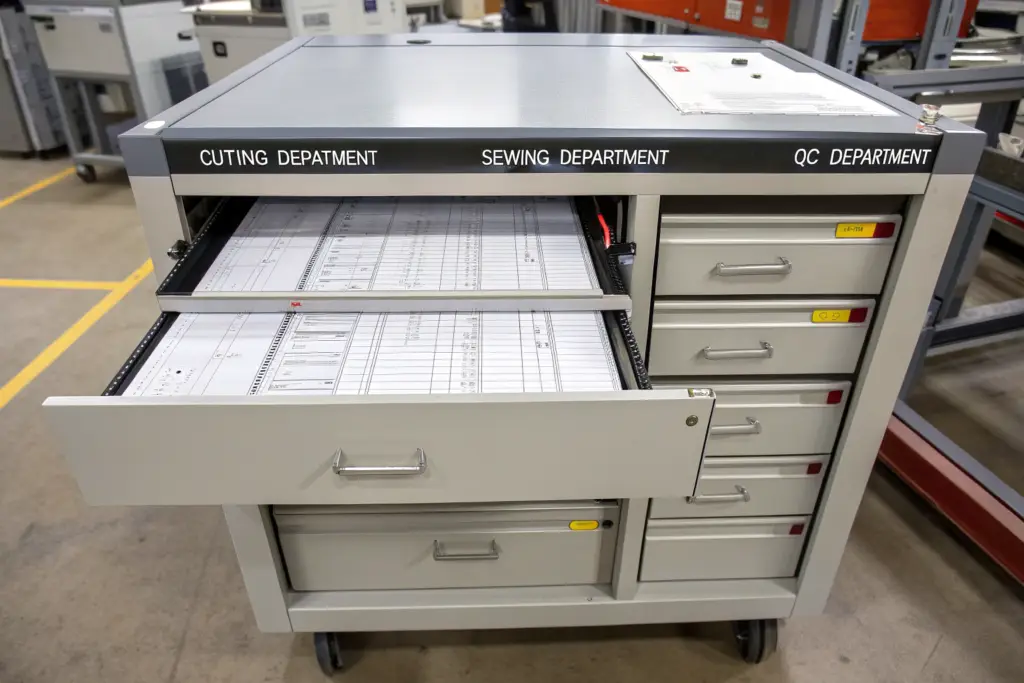
Structuring a tech pack to minimize IP risk involves separating the document into modular sections, each containing only the information required for a specific production stage. The cutting department needs the pattern pieces, the marker layout, and the fabric yield. They do not need the artwork files or the trim sourcing details. The sewing department needs the seam construction details, the stitch types, and the thread specifications. They do not need the graded measurement chart. The QC department needs the measurement tolerances and the approved sample photographs. They do not need the construction sequence. Each department receives only its specific module. The complete design blueprint is never in the hands of any single person at the factory.
This modular approach requires more preparation from the brand owner at the tech pack creation stage. The document must be designed for modularity from the start. But the security benefit is substantial. The risk of a complete design leak is reduced to the risk of a leak from the one or two people, typically the pattern maker and the head merchandiser, who legitimately need access to the full integrated tech pack.
What Information Should Never Leave the Brand's Controlled Cloud Environment?
Certain types of design information should never be included in the factory-facing tech pack at all. This information is not needed for production. It is valuable IP that, if leaked, would cause significant competitive harm. It should remain exclusively within the brand's internal systems.
The brand's forward-looking design concepts and mood boards for future, un-produced seasons should never be shared with a factory that is only producing the current season. The factory does not need to see next year's designs to sew this year's garments.
The brand's detailed cost breakdown and margin calculations should never be shared. The factory needs the FOB price agreement. They do not need to see the brand's retail pricing strategy, the wholesale margins, or the marketing budget allocation.
The brand's complete customer list, sales data, and sell-through reports should never be shared. The factory may need to know the order quantity. They do not need to know which specific boutiques ordered which quantities, or what the brand's online conversion rate is.
The brand's fabric mill and trim supplier contact details, particularly for proprietary, custom-developed materials, should be carefully controlled. If the factory needs a specific trim, the brand can supply it directly or provide the supplier's contact with strict instructions that the relationship is for this specific order only. The factory should not be able to go directly to the brand's proprietary trim supplier and order the same trim for another client.
A brand owner I work with maintains a strict separation. The factory receives the production tech pack, which contains the specifications needed to cut, sew, and finish the garment. The brand's concept design files, cost sheets, and customer data reside on a separate, internal cloud system with no external sharing. The factory has never asked for this information because it is not needed for production. The separation is a cultural norm, not a source of friction.
How Do You Create a "Department-Specific" View of the Tech Pack for Cutters Versus QC?
Creating department-specific views of the tech pack can be done using the section and page extraction features of the tech pack software or the PDF editor. The brand owner creates the master tech pack with all sections. Then, before sharing, they extract the relevant sections into separate, smaller files for each department.
The cutting department file contains the cut piece list, the marker layout or a representation of it, the fabric yield per size, the fabric width and shrinkage allowance, and the cutting instructions for any special fabric handling.
The sewing department file contains the seam construction diagrams, the stitch type specifications (ISO 4915 codes), the thread specifications, the needle type and size, the machine settings, and the assembly sequence.
The finishing and QC department file contains the graded measurement chart with tolerances, the approved sample photographs showing the correct appearance from all angles, the trim placement measurements, the pressing and folding instructions, and the QC checklist.
Each file is shared with the department supervisor via the secure platform, with view-only access and an expiry date. The supervisor can view the information they need to do their job. They cannot access information they do not need. The complete, integrated tech pack is held only by the brand's internal team and the factory's head merchandiser, who has a signed confidentiality agreement.
A brand client implemented departmental views for her production with us. Initially, our production manager was slightly surprised, as most brands send a single document. I explained the reasoning. He understood immediately. The departmental views did not slow down production. The cutter had exactly the information he needed, clearly presented, without having to scroll past irrelevant pages. The process was actually more efficient.
A watermark is a visible or invisible mark embedded into a document that identifies its origin, owner, or authorized recipient. In the context of design file security, the most effective watermark is a dynamic watermark. A dynamic watermark is applied automatically by the secure file sharing platform at the moment the file is viewed or downloaded. It contains the recipient's name, email address, the date and time of access, and a unique session identifier.
Dynamic watermarks deter unauthorized internal sharing by making every copy of the tech pack personally identifiable to the individual who accessed it. If a factory employee downloads a view-only file by taking screenshots, those screenshots carry the employee's name and access timestamp. If those screenshots are then shared externally, the brand owner knows exactly who leaked the file. The watermark transforms the tech pack from an anonymous, untraceable document into a personally attributable one. The deterrent effect is powerful. Most employees will not risk their job and potential legal action to share a file that has their name written all over it.
Watermarks cannot prevent a determined thief from sharing a file. But they dramatically increase the personal risk of doing so. The thief must either share the file with their own name visible, making them immediately identifiable as the source of the leak, or they must invest time and technical skill in removing the watermark, which is a deliberate act of concealment that carries its own legal implications.

How Does a Dynamic Watermark Differ from a Static One in Tracing Leaks?
A static watermark is a fixed text or image that is applied to the file when it is created. Every copy of the file has the same watermark. If the file is leaked, the watermark identifies the brand owner, but it does not identify which of the many people who had access to the file was the source of the leak. A static watermark says, "This file belongs to Brand X." A dynamic watermark says, "This copy of the file was accessed by [specific person] at [specific time]."
The tracing capability of a dynamic watermark is the critical difference. When a leaked file is discovered on a counterfeit seller's website or in a competitor's possession, the brand owner examines the watermark. The watermark identifies the exact person whose access generated that specific copy. The investigation is not a broad inquiry into everyone who had the file. It is a direct confrontation with the specific individual whose name is on the leaked copy.
The psychological effect on the factory's staff is significant. Knowing that any leak is traceable to the individual, not just the company, creates a powerful sense of personal accountability. The factory owner, who is also concerned about their company's reputation and legal liability, is motivated to educate their staff about the watermark and the consequences of leaking.
A brand owner discovered a leaked tech pack for a new jacket design on a competitor's website. The file carried a dynamic watermark showing it was accessed by a specific pattern maker at a specific factory on a specific date. The brand owner contacted the factory owner with the evidence. The pattern maker was confronted, admitted to selling the file to a friend at a trading company, and was terminated. The factory owner, who had been unaware of the leak, tightened their internal security procedures. The dynamic watermark had provided the evidence needed to identify, stop, and sanction the leak.
What Is the Most Effective Placement for a Watermark to Avoid Being Cropped Out?
A watermark placed in the corner of a page or in the margin can be easily cropped out by a recipient who takes a screenshot and uses a basic image editor. The watermark must be placed in a location that makes cropping it out impractical without destroying the usability of the underlying design information.
The most effective placement is a full-page, semi-transparent pattern. The watermark text is repeated across the entire page, covering both the graphic and the text areas. The opacity is set to approximately 10% to 15%, so it is visible but does not obscure the design details. Cropping out a full-page watermark would require cropping out the design information itself, rendering the file useless.
The second most effective placement is directly over the most critical design elements, the flat sketch, the key measurements, the logo placement diagram. A watermark placed over these elements cannot be cropped out without also cropping out the very information the thief wants to steal. The thief is forced to either share the watermarked file or attempt to digitally erase the watermark, a time-consuming process that leaves artifacts.
We advise brand clients to use a full-page, semi-transparent dynamic watermark with the text "CONFIDENTIAL - Shared with [Name] on [Date]" repeated in a diagonal pattern. The watermark is visible on every screenshot and every printed page. It does not interfere with our ability to read the tech pack and manufacture the garment. It does interfere with a thief's ability to share the file anonymously.
How Should You Audit Your Supplier's Digital Security During the Onboarding Process?
The brand owner's secure file transfer practices are only half of the equation. The other half is the security of the factory's internal systems. A tech pack shared via a secure, view-only link is protected during the transfer. But once it is displayed on the factory's computer screen, the security of the factory's network, the access controls on the factory's computers, and the security practices of the factory's employees determine whether that information is safe.
Auditing a supplier's digital security during onboarding involves a structured review of the factory's IT infrastructure and data handling policies. The brand owner should verify that the factory uses professional, corporate email accounts, not free webmail services. The factory should have a documented policy for handling confidential client design files, including who has access, where files are stored, and how long files are retained. The factory should use anti-virus and firewall protection on all computers that access client files. And the factory should be willing to sign a data processing agreement that outlines their responsibilities for protecting the brand's digital information.
This audit is not about distrust. It is about professional alignment. A factory that has invested in professional IT systems, corporate email, secure file storage, and employee data handling training is a factory that takes its clients' business seriously. A factory that uses a shared, password-free Gmail account for all client communication is a factory that has not invested in basic business infrastructure. The digital security posture is a signal of the factory's overall operational maturity.

What Questions Should You Ask About Their Internal Network and Employee Access?
The brand owner should ask specific, direct questions about the factory's internal digital environment. The questions should be part of the standard vendor onboarding questionnaire, alongside the questions about production capacity and certifications.
Ask whether the factory uses a dedicated, professional email system with individual accounts for each employee who communicates with clients. An address like "merchandiser3@fumaogarment.com" indicates a professional system. An address like "factorysales123@gmail.com" indicates a free, unmanaged system with no IT control.
Ask whether the factory's internal network is secured with a firewall and whether the Wi-Fi network is encrypted and password-protected. Ask whether guest devices, such as visitors' phones, are isolated on a separate guest network that cannot access the internal file servers.
Ask whether the factory has a policy for employee access to client design files. Who is authorized to access these files? Are files stored on a central, access-controlled server, or on individual employees' local hard drives? Are employees required to use strong, unique passwords? Is there a policy against sharing passwords?
Ask whether the factory conducts any background checks or provides any data security training for employees who handle sensitive client information. The answer may be that they do not, which is common, but the question signals that the brand owner cares about this issue.
A brand owner who onboarded with us asked these questions. Our IT manager provided clear, documented answers. The brand owner told me later, "Your answers were better than some of my domestic suppliers. It gave me confidence that my files would be handled professionally." The digital security audit strengthened the relationship from the start.
How Can You Ensure Factory Staff Understand the Consequences of Leaking Tech Pack Data?
The technical controls, the view-only links, the dynamic watermarks, the expiry dates, are necessary but not sufficient. The human element is the most important variable. The factory staff who handle the tech packs must understand that the design files are valuable, confidential property of the brand owner, and that leaking them is a serious offense with consequences.
The brand owner should provide a simple, clear confidentiality policy as part of the supplier agreement. The policy should state, in plain language, that the design files are the exclusive intellectual property of the brand, that the factory is authorized to use them only for the specific production order, that sharing the files with any third party is strictly prohibited, and that violation will result in immediate termination of the business relationship and potential legal action.
The factory owner should communicate this policy to all staff who handle client files. The communication should be in the staff's native language. It should be reinforced periodically, not just mentioned once during onboarding. The factory owner should lead by example, demonstrating a culture of respect for client confidentiality.
At Shanghai Fumao, our employee handbook contains a clear confidentiality section. Every new employee is trained on it. The training is refreshed annually. Our merchandisers and pattern makers understand that our clients' design files are not ours to share. They are held in trust. A breach of that trust is grounds for termination. The culture of confidentiality is as important as the technology of confidentiality.
Conclusion
The secure transfer of tech packs is a layered defense. No single practice is a silver bullet. The combination of practices, applied consistently, creates a security posture that deters casual theft, detects sophisticated theft, and documents the chain of custody for legal recourse if a leak occurs.
The foundation is the platform. Email attachments are abandoned. All design file sharing moves to a secure, cloud-based platform with view-only access, dynamic watermarks, and automatic link expiry. The tech pack itself is restructured into modular, department-specific views, so that no single person in the factory, except the designated, vetted head merchandiser, has access to the complete design blueprint. The dynamic watermark, a full-page, semi-transparent pattern with the recipient's name and access timestamp, transforms every copy of the file into a personally attributable document. And the supplier's own digital security, their email systems, their network security, their employee training, is audited during onboarding to ensure the brand's defenses are not undermined by the factory's vulnerabilities.
The investment required to implement these practices is modest. The cost of a secure file sharing platform, the time to create department-specific tech pack views, the discipline to set link expiry dates, are minimal compared to the cost of a major design leak. A single leaked design that enables a counterfeiter to beat the brand to market can cost hundreds of thousands of dollars in lost sales and irreparable brand damage.
At Shanghai Fumao, we welcome and support our brand clients' digital security practices. We use professional, corporate email. We have a secure internal network. Our staff is trained on confidentiality. We accept view-only links, dynamic watermarks, and modular tech packs without complaint, because we understand they are necessary protections in a global supply chain where design theft is a real and present danger.
If you are reviewing your digital design file transfer practices and want a manufacturing partner who takes your IP security as seriously as you do, I invite you to contact our Business Director, Elaine. She can discuss our internal data security policies, walk you through how we handle confidential design files, and arrange a discussion with our IT manager if you have specific technical questions. Reach Elaine at elaine@fumaoclothing.com. Let's ensure your designs are shared securely, so they remain exclusively yours.