As the owner of Fumao Clothing, I receive this question almost daily from American apparel brands. Many designers are proficient in Adobe Illustrator and naturally want to use it for creating their technical packages. They've invested time in learning the software and want to ensure their preferred tool aligns with their manufacturer's capabilities.
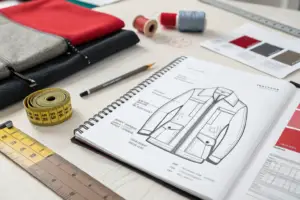
Yes, we absolutely accept tech packs created in Adobe Illustrator, provided they contain all the necessary technical specifications required for production. Illustrator is an excellent tool for creating flat sketches and some visual components of a tech pack. However, a complete tech pack requires more than just well-drawn flats - it needs precise measurements, detailed construction callouts, and comprehensive material specifications that often extend beyond what Illustrator alone can provide.
Many brands assume that a manufacturer's acceptance of Illustrator files means their tech pack is production-ready. In reality, the software used is less important than the completeness and accuracy of the information contained within the documents. Let me explain how we work with Illustrator-created tech packs and what additional elements we typically need to ensure successful production.
What are the advantages of Adobe Illustrator for tech packs?
Adobe Illustrator has been the industry standard for fashion design for good reasons. Its vector-based approach creates clean, scalable artwork that maintains quality at any size. This is particularly valuable for creating technical flats that need to be clear and precise at both screen and print resolutions.
The primary advantages of Adobe Illustrator for tech packs include superior vector graphics for technical flats, flexible layer organization, and seamless integration with other Adobe Creative Cloud applications that designers already use. These features make it excellent for the visual components of technical documentation.

Why are vector-based flats important for manufacturing?
Vector graphics in Illustrator maintain their quality regardless of scaling. This means our pattern makers can zoom in to see specific stitch details without losing clarity. Unlike raster images that pixelate when enlarged, vector flats remain sharp and precise, which is crucial when examining construction details like seam allowances, topstitching, and hardware placement.
We recently worked with a sportswear brand that initially sent us JPEG images of their technical sketches. The images became blurry when we zoomed in to examine the seam construction around their unique pocket design. When they provided AI files instead, our pattern team could clearly see every detail, which prevented a potential misunderstanding that would have affected 2,000 units. This precision is why we recommend using vector graphics for all technical drawings in manufacturing documentation.
How does layer organization help factory communication?
Proper layer organization in Illustrator files allows our technical team to isolate specific elements for examination. Designers can create separate layers for construction lines, stitching details, hardware, and labels. This organization helps our pattern makers and sample developers focus on specific aspects without visual clutter.
A well-organized Illustrator file acts like a good communication tool between design and production teams. For instance, when a New York-based client sent us an AI file with clearly labeled layers for "topstitching," "seam allowance," and "print placement," our sample room produced a perfect first sample that matched their vision exactly. The time saved in clarification emails and revised samples benefited both our schedule and their budget.
What additional information do we need beyond Illustrator files?
While Illustrator excels at visual components, a complete tech pack requires information that typically exists outside the AI file. Many designers create these additional elements in Excel, Word, or specialized product development software, then compile everything into a PDF package for manufacturing.
Beyond Illustrator flats, we require detailed measurement specifications, complete bill of materials, construction details, and graded size charts that are typically managed in spreadsheet formats or specialized PLM systems. These elements provide the quantitative data needed for precise manufacturing.
Why can't measurement specs stay in Illustrator?
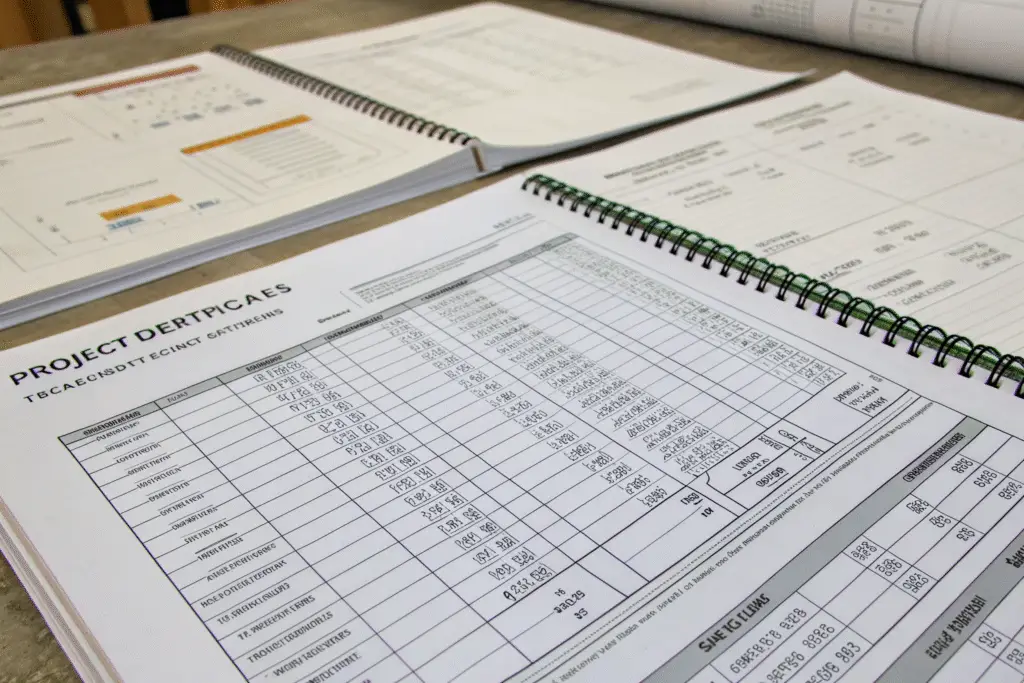
Measurement specifications require a tabular format that spreadsheets handle more efficiently than Illustrator. A complete size spec includes dozens of measurements across multiple size grades, with specific tolerances for each point. Managing this data in Illustrator would be cumbersome and prone to error, especially when revisions are necessary.
We need clear, organized measurement tables that our quality control team can quickly reference during production. Last month, a client sent us beautifully illustrated flats in AI format, but the measurements were embedded as text within the Illustrator file. When they needed to adjust the grade rules for their size range, updating the AI file was time-consuming and error-prone. We helped them transition to a system where measurements live in an Excel spreadsheet that links to their Illustrator visuals, creating a more efficient specification package for everyone involved.
What crucial elements are missing from AI-only tech packs?
Most Illustrator-only tech packs lack comprehensive bill of materials (BOM) with specific material references, construction detail pages with stitch specifications, and packaging instructions. These elements are fundamental to accurate costing and production planning but aren't effectively created within Illustrator.
A complete BOM needs to specify not just what materials are used, but their specific characteristics, suppliers, and testing requirements. For example, a Seattle-based outdoor brand we work with initially provided Illustrator files that showed a waterproof zipper in their sketches but didn't specify the exact type, supplier, or waterproof rating. Without this information, we couldn't accurately cost the garment or ensure performance standards. Their tech pack became truly production-ready only when they added a detailed BOM with approved vendor lists and material specifications.
How should you prepare Illustrator files for manufacturing?
Proper file preparation ensures a smooth transition from design to production. Well-prepared Illustrator files save time, reduce errors, and help maintain quality consistency throughout your manufacturing process. Following specific guidelines makes collaboration more efficient for both designers and manufacturers.
To prepare Illustrator files for manufacturing, ensure all outlines are closed paths, use consistent scaling, include multiple views of each garment, and provide clear callouts for construction details with Pantone color references where applicable. Proper preparation prevents misinterpretation at the factory.

What are the essential technical drawing standards?
Technical flats in Illustrator should use consistent scale (typically 1:5 or 1:10 fashion scale), closed paths for all shapes, and industry-standard line weights to distinguish between stitch types, seam lines, and fold lines. All elements should be clearly labeled with leaders pointing to specific details.
We provide all our partners with a technical drawing template that includes standardized layers, line styles, and color swatches. A client from Los Angeles adopted this template and found that their first sample approval rate improved by 60% because our pattern makers could immediately understand their requirements without additional clarification. The template includes specific layers for different stitch types (regular stitch, topstitch, elastic stitch) each with defined colors and line weights that match our factory's internal standards.
How should you organize and package files for submission?
When submitting Illustrator-based tech packs, include both the native AI files and PDF versions, ensure all linked images are embedded, convert text to outlines to preserve formatting, and organize related files in clearly labeled folders. This preparation prevents common issues like missing fonts or images.
A complete submission should include the AI files, PDF overview, measurement spec sheets, BOM, and any reference photos or inspiration images. We recommend creating a master folder with subfolders for "Technical Flats," "Materials," and "Reference." Last year, an Austin-based startup sent us their tech pack as a zip file with this organized structure, and we were able to move directly into pattern making without the usual back-and-forth for missing information. This organization demonstrated their professional approach to manufacturing and built immediate confidence in our partnership.
What are the limitations of Illustrator-only tech packs?
While Illustrator is powerful for visual elements, it has significant limitations for comprehensive tech pack creation. Understanding these limitations helps brands decide when to supplement with other tools or consider integrated solutions that bridge the gap between design and manufacturing data.
The main limitations of Illustrator-only tech packs include difficulty managing numerical data, challenges with version control, lack of built-in specification templates, and poor integration with manufacturing costing systems. These limitations become more pronounced as collection size and complexity increase.

Why is data management challenging in Illustrator?
Illustrator isn't designed to handle the numerical data that manufacturing requires. Managing measurement charts, cost breakdowns, and material quantities in Illustrator is inefficient compared to spreadsheet-based systems. When numbers need updating, spreadsheets allow global changes while Illustrator requires manual, error-prone adjustments.
We've observed that brands using Illustrator alone for their entire tech pack process spend significantly more time on revisions. A Chicago-based client tracking their development process found that updating measurement specs across 15 styles took three times longer in Illustrator compared to when they switched to a spreadsheet-based system linked to their visuals. The data management limitations of Illustrator became a bottleneck in their product development timeline, particularly during the fitting and grading phases.
How does version control become problematic?
Without proper systems, version control in Illustrator files can be challenging. It's difficult to track what changed between revisions, and factories may accidentally work from outdated files. This can lead to costly errors where samples are made from incorrect specifications.
We implemented a digital quality control system that requires clear version numbering on all tech pack documents. A client from Miami learned this lesson when their factory and sampling team worked from different versions of an Illustrator file, resulting in a sample with outdated specifications. They now use a standardized naming convention (StyleName_Rev02_Date.ai) and maintain a revision history log outside of Illustrator to track changes systematically across all their styles.
Conclusion
Adobe Illustrator is a valuable tool for creating the visual components of your tech pack, and we welcome well-prepared AI files as part of your technical documentation. However, successful manufacturing requires more than great sketches - it demands precise measurements, detailed material specifications, and clear construction details that typically extend beyond Illustrator's core capabilities.
The most successful brands we partner with use Illustrator for what it does best - creating clean, detailed technical flats - while supplementing with other tools for data management and specification details. This hybrid approach leverages the strengths of each tool while ensuring complete, accurate information for manufacturing. If you're using Illustrator for your tech packs and want to ensure they're production-ready, we'd be happy to review your current documentation process and suggest improvements based on what we've seen work successfully for other brands.
For a consultation on optimizing your tech packs for manufacturing, please contact our Business Director, Elaine, at elaine@fumaoclothing.com. We can help you bridge the gap between design creativity and manufacturing precision, regardless of what software you use to create your technical packages.